
How to install ChibiChu on Android
A calm walkthrough for your first mod install — including the browser permission Android hides in a different place on every brand.
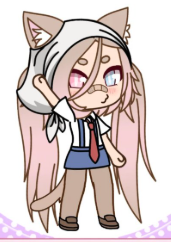
Installing ChibiChu takes less time than making a cup of tea, but Android keeps one setting in a slightly different place on every phone. This guide goes from a fresh device to an open character creator.
You only need the APK from our download page. No store account, no extra library and no root access.
1. Allow installation from your browser
Open Settings, go to Apps → Special app access → Install unknown apps, and pick the browser you will download with. Switch on “Allow from this source”.
On Samsung the path is Settings → Apps → Special access. On Xiaomi look under Settings → Privacy protection → Special permissions. If you cannot find it, search “install unknown” in the settings search bar.
2. Download the mod APK
Open the download page and tap the pink download button. The file is 615.3 MB and lands in your Downloads folder.
If your browser warns that the file “may be harmful”, that is the standard warning for any file downloaded outside a store. Continue — every build here is signed and comes from this site only.
3. Install and open the creator
Tap the downloaded file in your notification bar or Downloads app, then confirm “Install”. The first launch takes a few extra seconds while the part library unpacks.
Updating from an older version? Do not uninstall first — installing on top keeps your gallery, characters and saved scenes.
Quick tip
ChibiChu installs as its own app with its own icon. You can keep Gacha Life installed at the same time and switch between them whenever you like.